Analytics for a Shopify store without slowing it down
By Moha Ousaid Saaid, founder · Updated · 5 min read
Start with Shopify's built-in reports, which need no extra script from you. Measure your speed first, then add one small deferred script for store pages and a custom pixel for checkout. To see what any script costs, block it in Chrome's developer tools and run the same test twice. MetricMind's Shopify pixel is in beta and hasn't yet run on a real store. Plausible and Fathom publish similar setups.
Do you need more than Shopify's own analytics?
Maybe not. Shopify's behaviour reports already cover sessions, conversion, your conversion funnel, landing pages and devices. They even list searches with no results, which many analytics tools miss. For sales totals, Shopify is the number to believe.
Add a tool only for what you can name. Common reasons:
- Rage clicks, dead clicks and errors: what stopped someone from buying.
- Speed on your own product and collection pages, measured on real visitors.
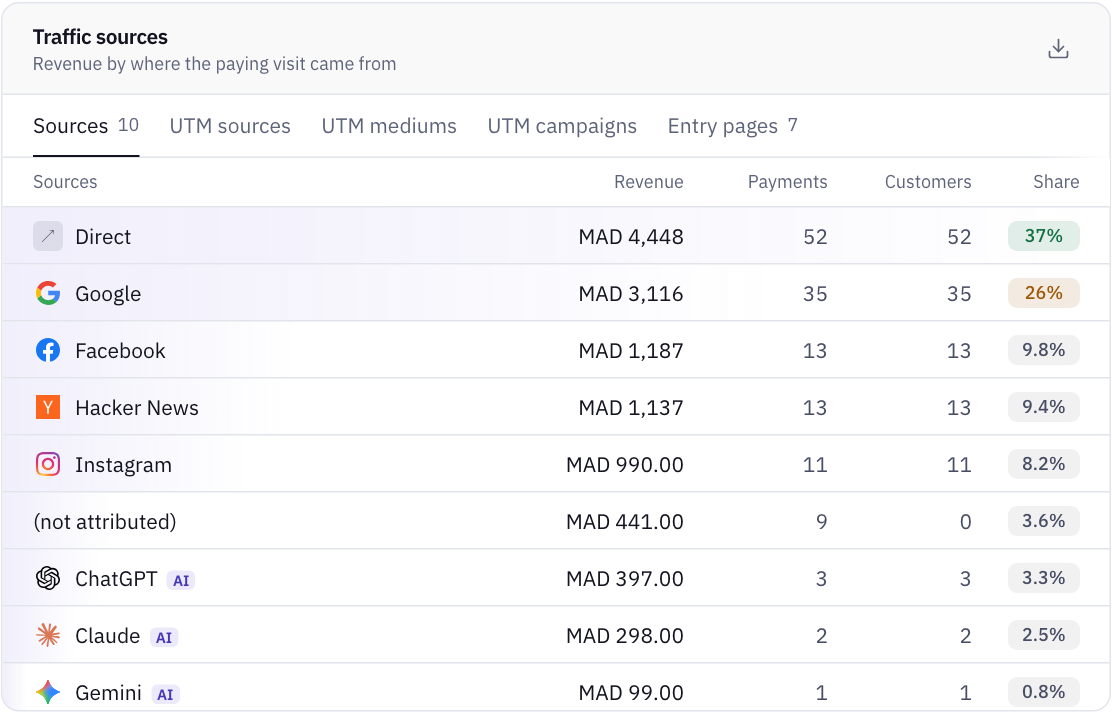
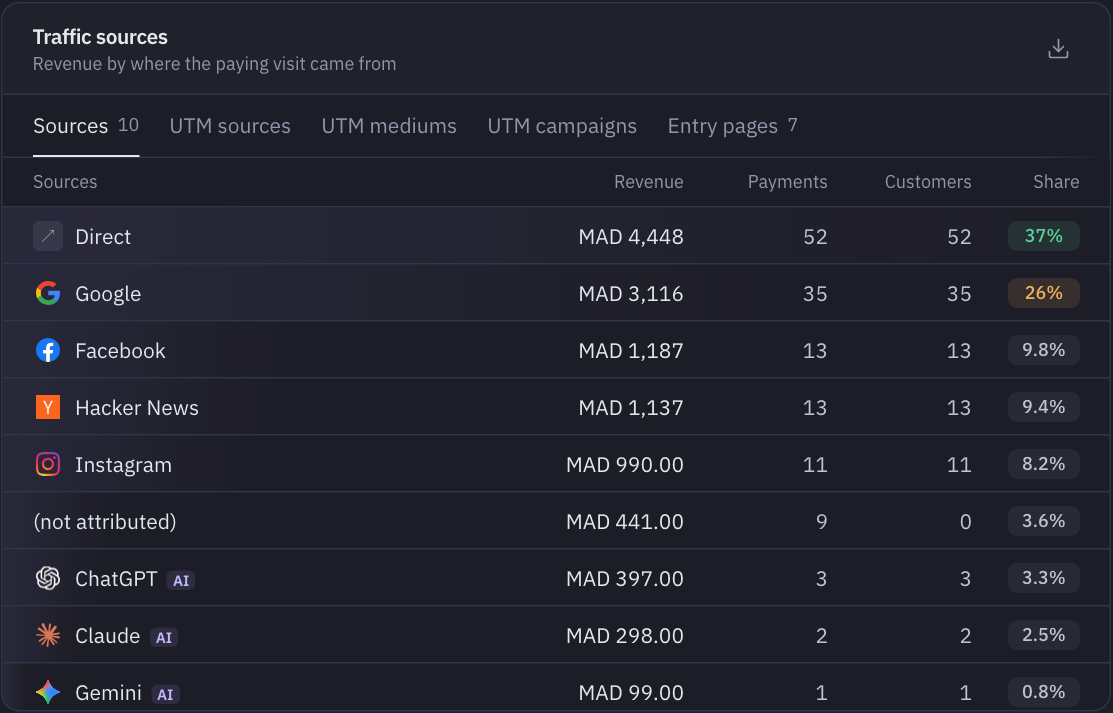
- Sources you control, with sales credited to each visit.
- One place for a store plus a blog, a marketing site or an app.
If none of these applies, skip it. Not adding a script is the fastest option.
What really slows a Shopify store?
Usually not your analytics. Shopify's performance guide for themes lists the main causes: JavaScript from theme code and installed apps competing for the main thread, render-blocking scripts, and how images load. It tells you to audit every script, including apps and tracking pixels, and to remove anything that isn't earning its cost. It also recommends defer for non-critical scripts.
Size is part of it, though not all. We measured each default analytics script, gzipped. Your real tag may differ.
| Script | Size |
|---|---|
| Google tag, with a placeholder ID | About 157 KB |
PostHog array.js | About 107 KB, plus about 67 KB for its recorder file |
MetricMind mm.js | About 12 KB |
| Plausible | 2.5 KB, by its own statement |
Fathom script.js | About 2 KB |
A store with a few review, chat and upsell apps may load far more than any of these. So look at the whole list before you worry about one script.
How do you test what a script costs? A test that isolates it
Don't compare a test today with a test last month, since your theme, apps and images change. Compare with and without, in one sitting. You need Chrome and about 15 minutes.
- Open a product page in a private window, with Chrome's developer tools on the Network panel.
- Sort by size or filter by third-party domains. Write down every script you don't recognise. That list alone often finds apps you uninstalled but whose code stayed in the theme.
- Run the Lighthouse panel three times for mobile, and note LCP and Total Blocking Time. Take the middle run.
- In the Network panel, right-click the script's request and choose Block request URL.
- Reload to confirm it's gone, then run Lighthouse three times again. Take the middle run.
- The difference is that script's cost on your theme, on this page. If it's smaller than the spread between your runs, you can't tell it apart from noise.
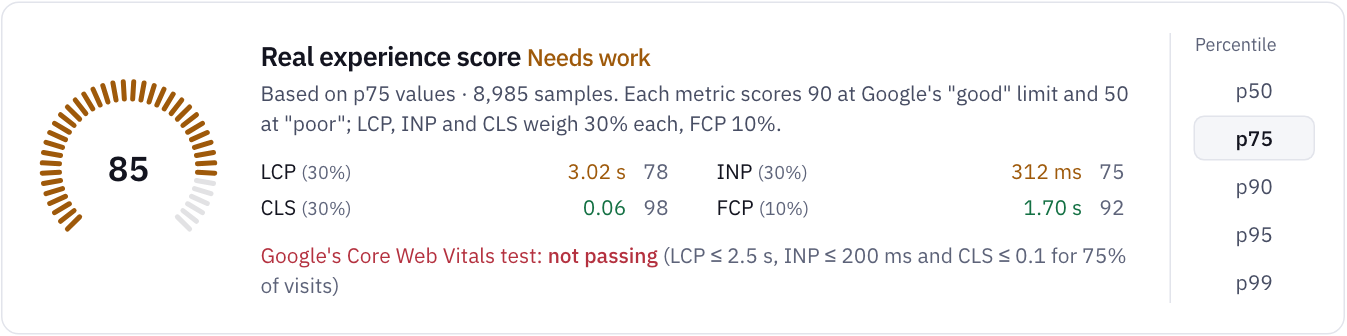
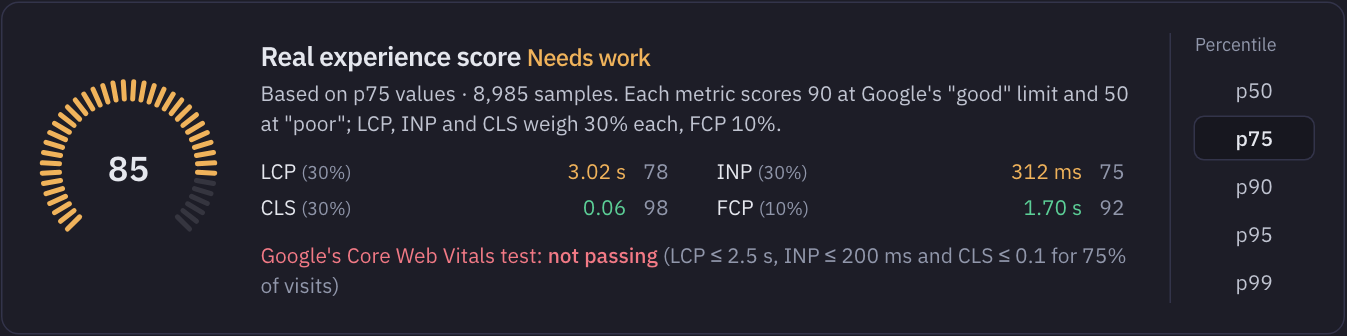
Lab tests show you a single device. For what visitors feel, use Shopify's web performance reports before and after any change. The thresholds to aim for come from Google's Web Vitals: LCP within 2.5 seconds, INP within 200 ms, CLS at 0.1 or less, at the 75th percentile.
How do you add analytics without touching checkout speed?
A Shopify store needs two parts, because themes don't run at checkout. Shopify has also retired checkout.liquid and additional scripts on the Thank you and Order status pages, as Plausible's guide details.
- For store pages: a deferred script in
theme.liquid. Put it just before</head>.defermeans it doesn't block the page from rendering. - For cart and checkout: a custom pixel in Settings → Customer events. Custom pixels run in a sandbox, separate from your storefront code, and they subscribe to events such as
checkout_completed.
Plausible and Fathom both document this same pattern, and so does our guide. Duplicate your theme before you edit it. Then check that a theme update hasn't removed the tag, since a different theme won't have it at all.
Why will your sales numbers differ from Shopify's?
Expect a gap, and know why before you worry. Plausible's guide explains the biggest cause clearly: by default Shopify requires Marketing and Analytics permission for new pixels. In regions where it asks for consent, usually the EEA and the UK, the pixel then runs only for shoppers who accept your banner. If they don't, the sale isn't reported. If you set Permission to Not required, the pixel loads for everyone. That choice is yours to make with your lawyer.
Run this check after your first week. Take finished days, then compare orders in Shopify with purchase events in your tool.
| What you see | Likely cause | What to do |
|---|---|---|
| Pixel about equal to Shopify | Working, and permission allows nearly everyone | Nothing |
| Pixel well below, mostly in EEA and UK orders | Consent | Read the source reports as a sample, or change the setting with advice |
| Pixel well below, everywhere | Permission or pixel not connected, or an event not firing | Use Shopify's Test button and watch Events received |
| Pixel above Shopify | Test orders or duplicates | Check for order IDs repeated |
Sessions won't match either, and Shopify changed how it counts them in September 2026. More on this in why your analytics numbers don't match.
Where does MetricMind fit, and how far along is it?
Shopify support is in beta. We checked the pixel's field names against Shopify's documentation, but it hasn't been run on a real store yet. Check your first events against Shopify's own numbers, and don't use it as your only record. If you want something with a track record today, Plausible's Shopify guide is a good place to start, though its revenue attribution is on its Business plan.
What the setup sends: page views, Web Vitals, rage and dead clicks, errors and site search from the theme script, about 12 KB; add to cart, begin checkout, payment info and purchase with its value from the pixel. A purchase carries the order ID, so a repeated report replaces its own row. No cookies are set. The pixel does keep a visitor ID and a session ID in the browser's storage, so a store using it doesn't get a storage-free setup.
It can't tell you what Shopify knows and the browser doesn't: refunds made later, orders placed in person, or customers who decline consent. For your books, keep Shopify's numbers.
If you're wondering which small tool fits, compare Plausible, Fathom and MetricMind. And if traffic is fine but sales aren't, start with where to look first.
Your next step
See speed next to sales
The live demo is a sample marketplace, not a Shopify store, but its revenue and Web Vitals pages are the ones you'd get. No sign-up.