Analytics for a marketplace or classifieds site: what to measure
By Moha Ousaid Saaid, founder · Updated · 6 min read
Measure what happens before the deal leaves your site: contacts per 100 item views, by channel; searches that find nothing; and how many sellers finish a listing they started. Then split each by source and platform. On a classifieds site the sale usually happens by phone or WhatsApp, so reports built around a checkout will tell you little. Your two sides also fail in different places, so read buyers and sellers separately.
Why do standard analytics reports fail on a marketplace?
Three reasons. There's often no purchase to count, since the buyer calls the seller and you never see the deal. Your pages are thousands of listings, so a top-pages report is a long list of ads that expire. And you have two audiences on one site: a good week for buyers can hide a bad week for sellers.
So set up your numbers around what you can observe. Here are five that work for used cars, property, jobs or services. The figures come from our sample marketplace over 30 days. It's synthetic data, so use it for how to read the numbers. Don't use it as a benchmark.
| Number | How to get it | Demo site |
|---|---|---|
| Contacts per 100 item views | Contact clicks on item pages ÷ views of item pages × 100 | Website 11.0, apps 14.8 |
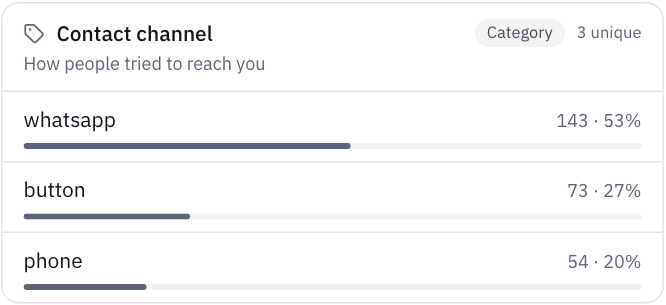
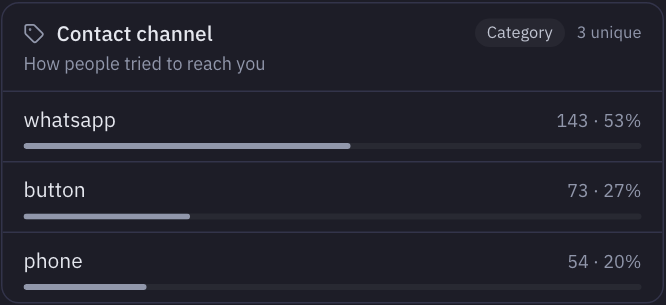
| Contacts by channel | Taps on phone and WhatsApp links, and contact buttons | WhatsApp 53%, button 27%, phone 20% |
| Share of visits that search | Visits with a site search ÷ all visits | 18.8% of website sessions |
| Searches that find nothing | Terms whose results page shows 0 | See your own terms: this one depends on what you stock |
| Sellers who finish a listing | Listing form sent ÷ started | 206 sent of 468 started |
What should you measure on the buyer side?
Contacts per 100 item views is the number to watch. It joins traffic to intent in one figure, and it survives a change in traffic. To work it out by hand: count contact clicks on item pages, count views of those pages, divide.
On the demo site, the website's item pages got 1,086 views and 119 contacts, or 11.0 per 100. In the apps, the Listing screen got 1,021 views and 151 contacts, or 14.8 per 100. Any tool can give you these once contacts are counted, so the first job is counting them.
A test worth running today. Open one of your listings on your phone and try every way to reach the seller. For each one, check whether your analytics saw it.
- A link starting with
tel:ormailto:, or awa.melink, is easy for a tool to count. - A button labelled like "Contact the seller" needs the tool to read the label. In MetricMind, labels starting with words like contact, call, chat with or WhatsApp count, in French and Arabic too.
- A "Show number" button often slips through. It reveals a phone number, and the visitor then dials from memory. MetricMind doesn't count it as a contact by default, since its label isn't a contact word, though it does appear in the report of what people click.
That last one can be large. On the demo site, "Voir le numéro" was clicked 322 times on item pages, by 32.8% of the visitors on them, against 153 clicks on "Contacter le vendeur". If a button like this is how your buyers reach sellers, your contact count is too low. Count it on its own, as a goal:
<button data-track="phone_reveal">Show number</button>Then read search. On a marketplace, your search box is the most honest report you have. Look at two lists: terms that find nothing, and terms people search and then leave. A term with no results is either stock you don't have, which is demand your sellers could meet, or stock you call something else, which you can fix today. MetricMind reads the count when your results page states it, or when you add one small attribute, data-mm-results. See the docs.
What should you measure on the seller side?
Listings are your stock, so losing a seller costs you every contact that listing would have brought. Measure the path from "Sell" to a published listing as a funnel, and read the form itself. You want three things: who started it, who sent it, and the last field people reached before leaving.
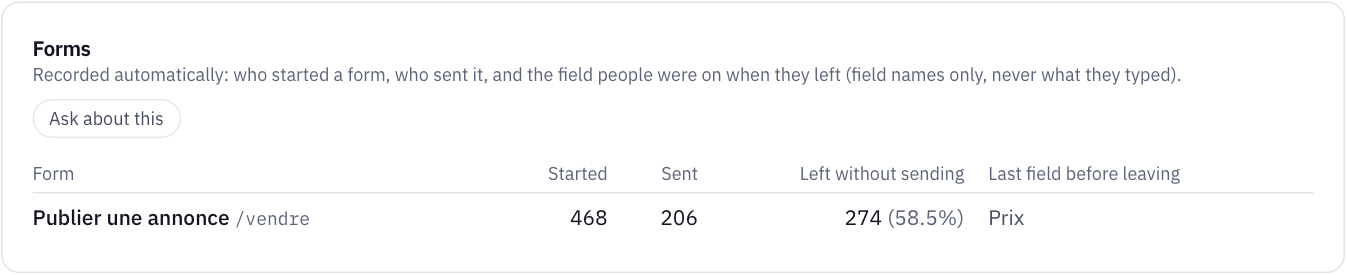
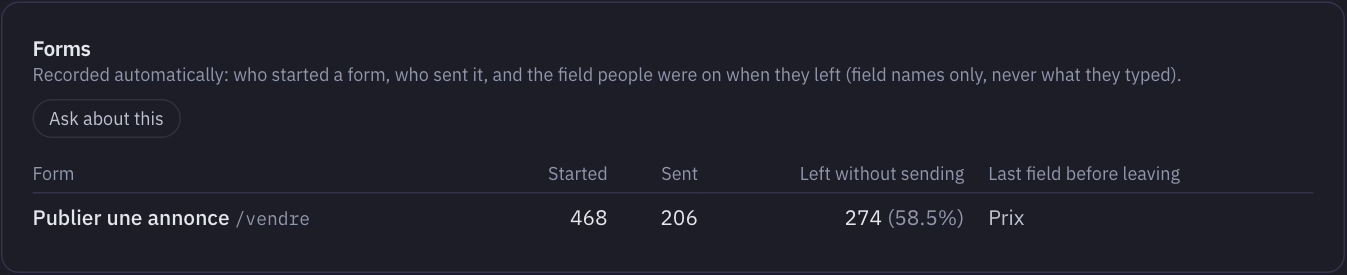
Here's how the panels connect on the demo site. 58.5% of people who started the listing form left it, most recently at the price field. The Frustrating pages panel shows /vendre with 45 rage clicks and 63 errors, hitting 15% of its visitors. The error list shows a new JavaScript error since 16 October, on that page, reading price. Each fact is plain on its own. Together they say: fix the bug before you touch the form's design.
Also watch sellers who come back. A seller who posts twice has told you the first listing worked. If your sellers sign in, identify them, and you can read each one's visits.
How do you handle thousands of listing pages?
Group them, or nothing else in your reports will be readable. Most tools offer a way to treat /cars/8123 and /cars/9044 as one page type. In MetricMind, a page template stores matching paths as the pattern (for example /annonces/*), from then on. That gives you one line for all listings in reports, and speed and clicks per page type.
There's a trade-off. A template drops the individual listing from the path, so you can't see which single ad got the most views. If you need that, leave out the template and send a listing ID as an event property. Don't send seller names or phone numbers.
How do you compare the website with your app?
If you have both, the gap may surprise you. On the demo site, Android app sessions lead to a contact 3.2 times as often as website sessions (7.7% against 2.4%). That doesn't prove the app is better. App users are more committed before they arrive, since they installed it first. So use the gap to ask a question: what do website visitors lack? Compare sessions, not users, and don't read much into small groups. We only write that verdict line when each side has at least 30 sessions.
Our post on app analytics covers what to measure there. Our SDKs are in beta.
What can't analytics tell you here?
- Whether the deal happened. A contact click is intent. Ask sellers now and then, or add a "sold through us?" question when they remove an ad.
- Listing quality. Two ads can get the same views and very different contacts because of the photos. You need your own database for that.
- Fraud. Bots and scrapers can inflate listing views. Filter what you can, and be careful about a sudden rise in views with no rise in contacts.
- Your two sides' balance. Compare new listings and contacts per week from your own database. Too few contacts per listing means sellers leave; too few listings per search means buyers leave.
How MetricMind shortens this
Contacts, site search, forms, rage and dead clicks and errors are recorded with one script of about 12 KB and no code. The website dashboard has a Contact rate tab on its sources panel, so you can see which source brings people who actually reach a seller. A funnel for browse-to-contact takes a minute to set up. You can ask the analyst in plain words which categories lead to the most contacts, then check the query behind the answer.
If you're still working out why visitors don't turn into enquiries, start with where to look first. If your numbers look different in another tool, here's why.
Your next step
Open the marketplace these numbers come from
The live demo is the sample classifieds site used in this article: contacts, seller form, searches, apps and all. No sign-up.