Session replay vs privacy: what you can learn without recording anyone
By Moha Ousaid Saaid, founder · Updated · 5 min read
You can learn most of what you'd watch a replay for from events alone: which pages someone saw, how far they scrolled, where they clicked repeatedly, which form field they left at, and which error they hit. A recording adds what's on the screen, which helps with visual bugs and costs you a masking job and a privacy decision. Start with events, and add recording only for the questions events can't answer.
What is session replay, and what's the privacy problem?
Session replay records what happens on a page, so you can play it back later like a video. Technically most tools record page content and changes to it, along with clicks and typing, and rebuild it in a player.
The problem is that whatever the page shows can be captured. Princeton researchers studied seven replay services in 2017, which they found on 482 of the top 50,000 sites, and tested six of them. They warned that medical conditions, card details and other personal information shown on a page could reach the third party. They also showed that redaction was partial: mobile-friendly login boxes that used plain text inputs could leak passwords, and fields were excluded by type or guesswork. Publishers would need to check every page that shows or accepts personal data.
That study is nine years old and tools have improved. Today's defaults differ by product, as their own documents say:
| Tool | Inputs | Other text on the page |
|---|---|---|
| PostHog | Masked by default | Not masked by default. You add selectors or a class to hide it |
| Microsoft Clarity | Masked in all modes | Clarity says sensitive content is masked by default, with settings to change that |
Masking done in the browser is a real protection, and both describe it that way. It still leaves you with a job: someone has to decide what's sensitive, on every page, and keep that true after every redesign. Whether you also need consent depends on your country and setup, so ask your lawyer.
A 10-minute test of your own replay tool
If you already run one, try this before you trust its settings. Use made-up details throughout.
- Open your site as a visitor. Enter a fake name and a fake email in a contact form, and a test number in any field that isn't marked as a card field.
- If you have accounts, log in to a test account and open a page showing a name, an address or an order.
- Search your site for the fake name.
- Open the recording, and also check the URL the player shows. Could you read any of it?
Anything you can read, your whole team can read about every customer. Then fix the masking, or decide who may open recordings. PostHog's docs also warn that URLs may carry tokens or IDs and need their own redaction.
What can events tell you without any recording?
More than most people expect. Here's one visit from our demo site, rebuilt from events, with nothing on screen recorded.
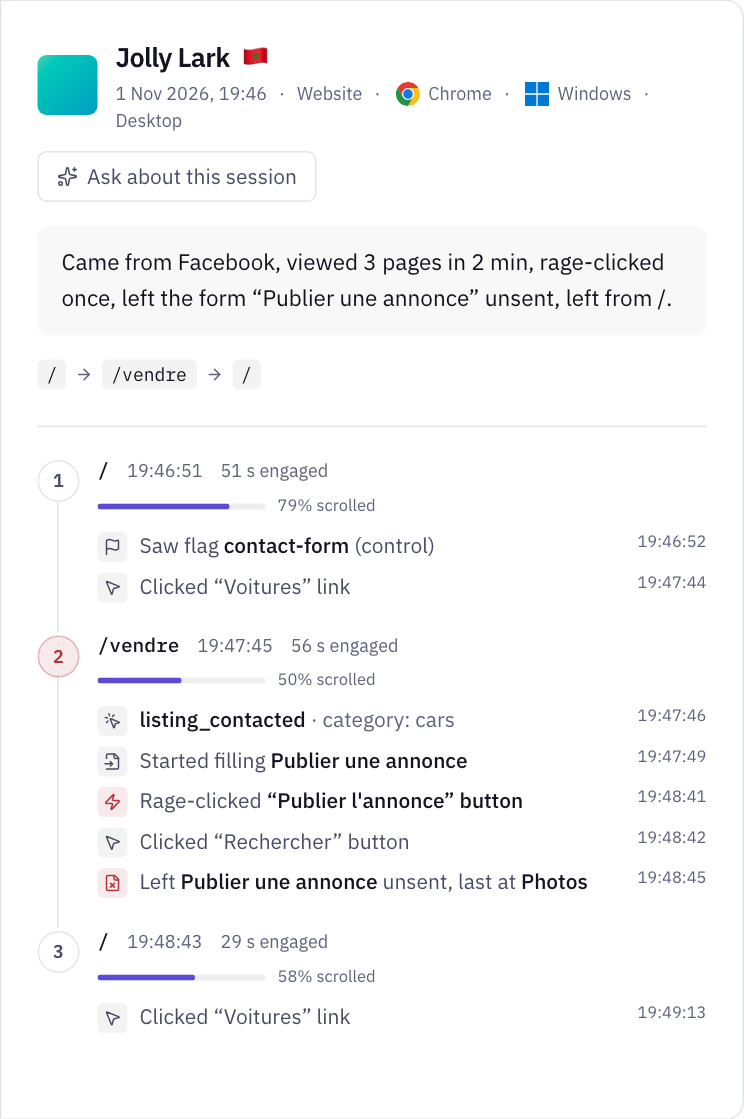
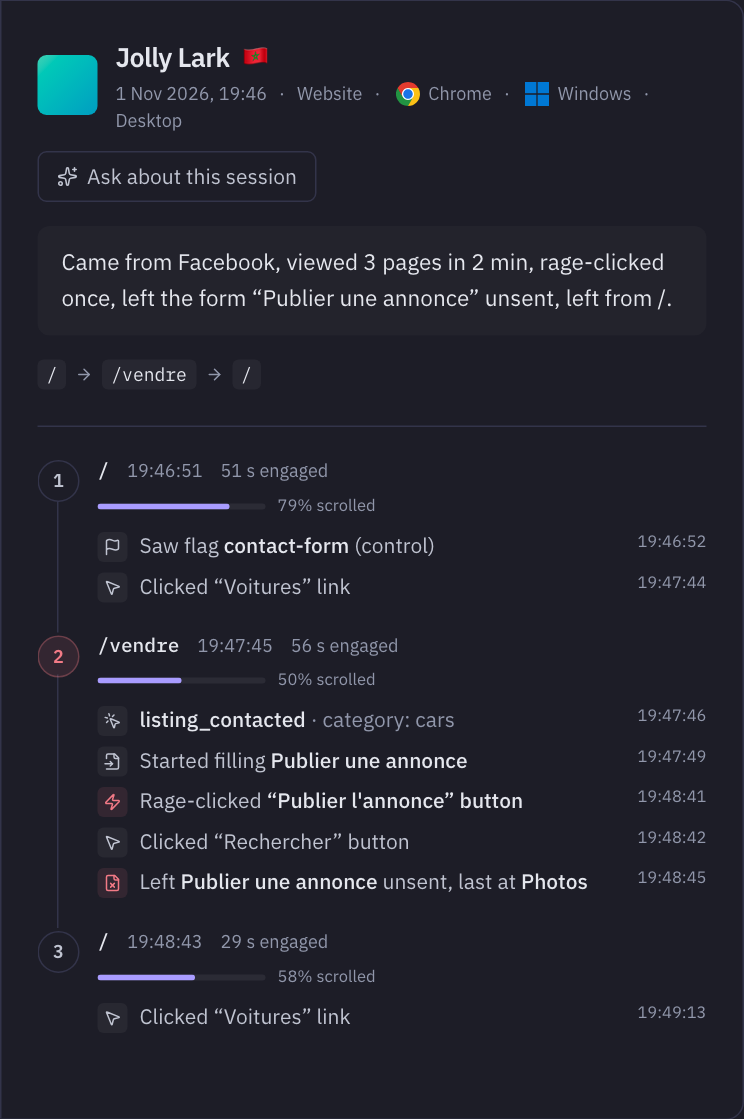
This visitor came from Facebook and went to the sell page. They started the listing form, rage-clicked the publish button, and left at the Photos field. If you have only this one visit, you already have a good question: does the photo step fail, or does publishing fail?
Now ask how often it happens, which a replay can't tell you without watching for days. On the same site, 274 of the people who started that form left without sending it, or 58.5%. Of the visits that started on /vendre and went nowhere else, 53.2% ended frustrated. Those numbers come from counting, and you can check them.
| Question | Events | Recording |
|---|---|---|
| Which pages, in what order, for how long? | Yes | Yes, one visit at a time |
| How common is this path? | Yes, counted | Only by watching many |
| Where do people leave a form? | Yes, by field label | Yes, and you see what they typed unless masked |
| Is a button broken? | Yes: rage clicks, dead clicks, errors | Yes |
| Which term did they search? | Yes | Yes |
| Did the layout break on this phone? | Partly: screen size, errors, layout shift score | Yes |
| What did they try that I never imagined? | Only what you measure | Yes |
| What did they see when it went wrong? | No | Yes |
The bottom rows are where recording really wins. If your product has a complex interface, or your support team has to reproduce odd bugs, you may want one. PostHog's replay is a fine choice there. See PostHog vs MetricMind.
What should you use instead of watching recordings?
A cheap order that works with any tool that records these events:
- Rank problems by count. Pages with the most rage clicks, dead clicks and errors, then forms with the highest drop-out.
- Read five visits from the worst one. Look for what they share.
- Try it yourself on a phone, on mobile data, doing the same thing.
- Watch a person. Ask someone who fits your customer to do the task, while you stay quiet. They've agreed, and you hear why. A recording can't tell you that. Our post on visitors who don't become customers covers this.
- Ask on the page. A one-question survey, right after the moment that fails, gets you the reason in their words.
What does MetricMind record, exactly?
Sessions in MetricMind are rebuilt from events you already collect. Here's what the script takes for each type:
- Rage clicks: three clicks within a second and 30 pixels on the same element, with no page change. It keeps the element's label only, and ignores form controls and text selection.
- Dead clicks: a click on a button or link with no change within 1.5 seconds, or 5 seconds for a link to another page. Contact, download and new-tab links are left out.
- Forms: started, sent, abandoned, with form and field labels only and never values. Search forms are ignored, and forms with a password are flagged so they aren't counted as frustration.
- Clicks per page: label and count, with no positions. Add
data-mm-ignoreto leave out an element. - Heatmaps, in alpha: one attribute in your script, in the install code of new websites, on a coarse grid, per page type.
Nothing on screen is recorded, so there's nothing to mask, and no player for someone to open. Labels, paths and error messages are still data, though. A button labelled with someone's name would be collected as a label, and a path or an error message can hold personal data if your site puts it there. Stored paths are the pathname only, without the query. Check your own pages.
It isn't a replacement in every case. It can't show you a broken layout, and if nobody thought to measure something, it won't be there. For how this fits a wider privacy setup, see cookieless analytics, and our features for the sessions page itself.
Your next step
Read a visit that wasn't recorded
In the live demo, open Sessions and pick a frustrated visit. Every step comes from events. No sign-up.