Why ChatGPT can't read your website, and how to fix it
By The MetricMind team · Updated · 5 min read
Usually one of two things. Your text only appears after JavaScript runs, and most AI crawlers don't run it. Or your robots.txt or CDN turns them away. You can test both in two minutes, and the fixes are well understood: serve your text in the HTML, and let in the crawlers you want. Neither guarantees a mention in an answer. They only remove what stops it from ever happening.
Test it yourself in two minutes
Pick a sentence that says what you do, plus a product name and a price. Then fetch your page the way a simple crawler does, in a terminal:
curl -s https://yoursite.com/ | grep -i "a phrase from your page"No terminal? Right-click your page, choose View Page Source and search for the phrase. Don't use Inspect, because it shows the page after JavaScript ran, which is exactly what you're trying to avoid. If the phrase isn't in the source, that's your answer.
Then try your important pages too, like a listing or a price page. A home page can be fine while everything behind it is built in the browser.
Reason 1: your text needs JavaScript
Many modern sites send a nearly empty page, and the browser fills it in. People never notice. A crawler that doesn't run the script sees the empty version.
The best public measurement we found is Vercel's analysis of crawler traffic, from December 2024. It found that none of the major AI crawlers it studied rendered JavaScript, including those of OpenAI, Anthropic and Perplexity. The ChatGPT and Claude crawlers fetched script files but didn't run them. Google's Gemini was the exception because it uses Googlebot's infrastructure, and so was Applebot. That data is two years old and crawlers can change, and OpenAI's crawler documentation doesn't say either way. That's why you should run the test on your own site.
It also explains a confusing situation: a site that ranks fine on Google and doesn't appear in ChatGPT. Google can render your scripts, and that may hide the problem for years.
The fix is to have the server send the text in the HTML, which developers call server-side rendering or static generation. Most frameworks support it, and many site builders already do it. Ask your developer: "If JavaScript is off, is our main text and pricing still in the page?" Prices and descriptions shown only inside images or PDFs have the same problem, so put them in plain text as well.
Reason 2: you've told them to go away
Open yoursite.com/robots.txt. Each company runs several crawlers with separate jobs, so blocking one isn't the same as blocking another.
| Crawler | What it does | If you block it |
|---|---|---|
| OAI-SearchBot (OpenAI) | Surfaces sites in ChatGPT's search features | Not shown in ChatGPT search answers, though you can still appear as a navigational link |
| GPTBot (OpenAI) | Collects content that may train its models | Tells OpenAI not to use your content for training |
| ChatGPT-User (OpenAI) | Visits a page when a user's question calls for it | It's started by users, so robots.txt rules may not apply |
| Claude-SearchBot (Anthropic) | Indexes pages to improve Claude's search results | May reduce your visibility in those results |
| ClaudeBot (Anthropic) | Collects content that may train its models | Your future content is excluded from training |
| Claude-User (Anthropic) | Fetches a page when a user asks | May reduce your visibility in user-directed search |
| PerplexityBot | Surfaces and links sites in Perplexity's results, not for training | You may not appear in those results |
| Perplexity-User | Fetches a page a user asked about | Generally ignores robots.txt |
| Google-Extended | A control, not a crawler: Gemini training and grounding | No effect on Google Search inclusion or ranking |
These settings are independent, as OpenAI says plainly. So you can refuse training and still appear in search, which is a reasonable choice for many businesses:
User-agent: GPTBot
Disallow: /

User-agent: OAI-SearchBot
Allow: /

User-agent: Claude-SearchBot
Allow: /

User-agent: PerplexityBot
Allow: /
Sources for the table: OpenAI, Anthropic, Perplexity, Google.
Reason 3: your CDN says no, even when robots.txt says yes
A CDN or firewall can refuse a crawler before it gets near your robots.txt. Look there if your robots.txt is open and yet nothing happens.
Cloudflare is the common one. Its documentation describes AI bot policies under Security Settings, with a choice for each kind of bot: block everywhere, block only on pages with ads, or allow. It also describes new defaults from 15 September 2026, where bots classed as training or agent are blocked on pages with ads, while search stays allowed. Other providers have their own settings, so check yours, and ask your host if you don't manage this yourself.
To test, send a request under the crawler's name:
curl -sI -A "OAI-SearchBot" https://yoursite.com/ | head -1A 403 suggests a rule against that name. A 200 is less certain, since a firewall can check whether a request really comes from the company's addresses. Your server or CDN logs are the only way to see what real crawlers received.
Once they can read you
Be careful with anyone promising more. No file or tag makes an assistant mention you.
- Google asks for nothing special. Its guidance on AI features says there are no additional requirements to appear in AI Overviews or AI Mode, and that you don't need new machine-readable files. It does advise allowing crawling, keeping important content as text, and making structured data match the page.
- llms.txt is a proposal. llmstxt.org describes it as a proposed standard, a Markdown summary for AI tools. We publish one because it takes little effort. Don't expect it to change anything on its own.
- Say plainly what you do. What you sell, where, for whom, at what price, in full sentences on the page. A crawler can't quote what you never wrote.
- Publish a sitemap and link your important pages from others, so they can be found.
Check whether it's worth your time
The only number that matters is yours. Look for chatgpt.com, perplexity.ai and claude.ai among your referrers, and check whether those visitors do anything useful. Your server logs will show crawlers reading you. If they read a lot and send nobody, you have a decision to make about training crawlers. If they send people who contact you, that's worth protecting.
How MetricMind helps
Our free AI visibility check does the first part for you. It reads your home page without JavaScript and shows you the text it got, checks your robots.txt against the crawlers of ChatGPT, Claude, Perplexity and Gemini, and looks for an llms.txt, a sitemap and structured data. It lists fixes with text you can copy. No sign-up, and the report is gone after an hour.
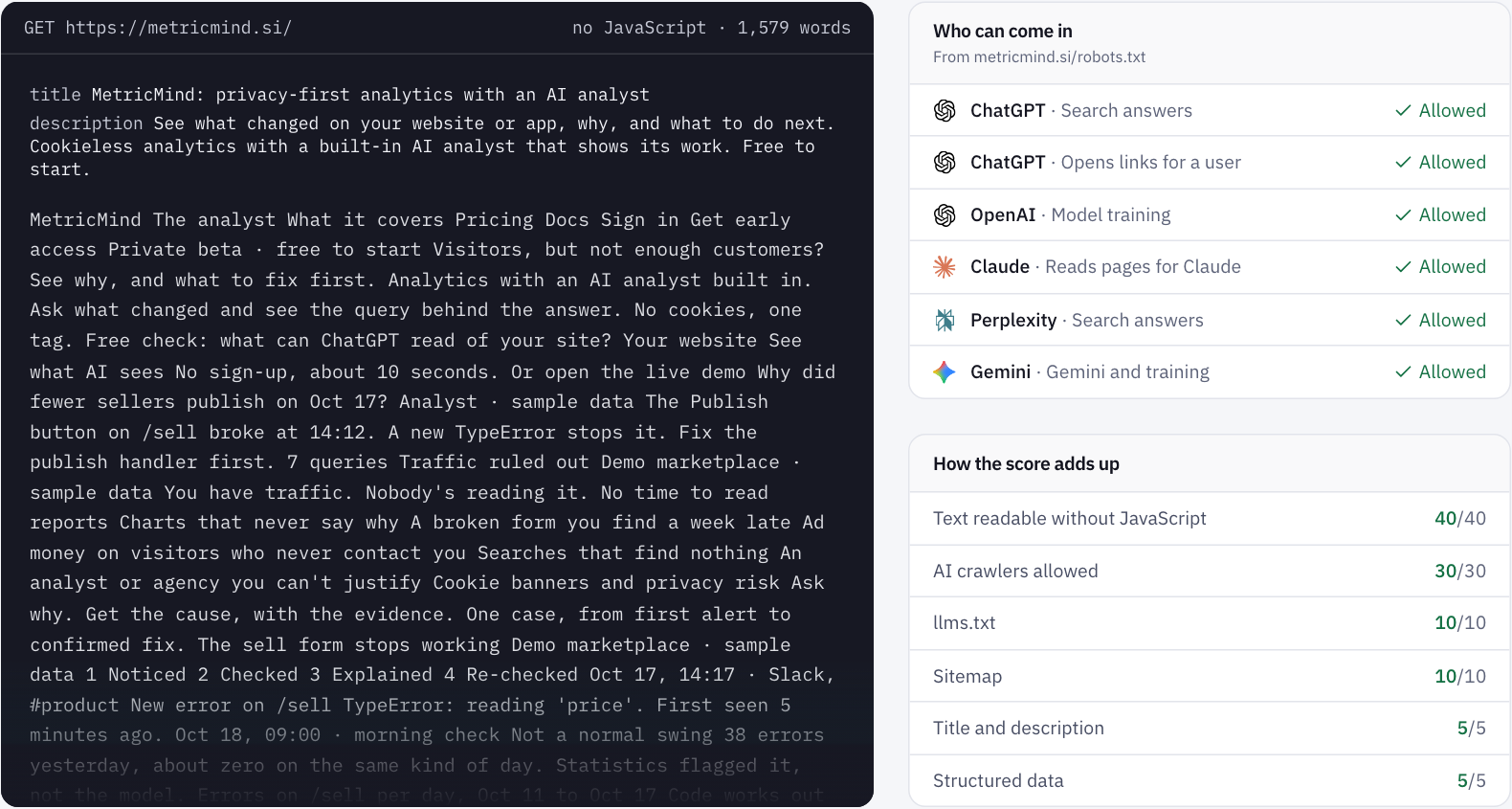
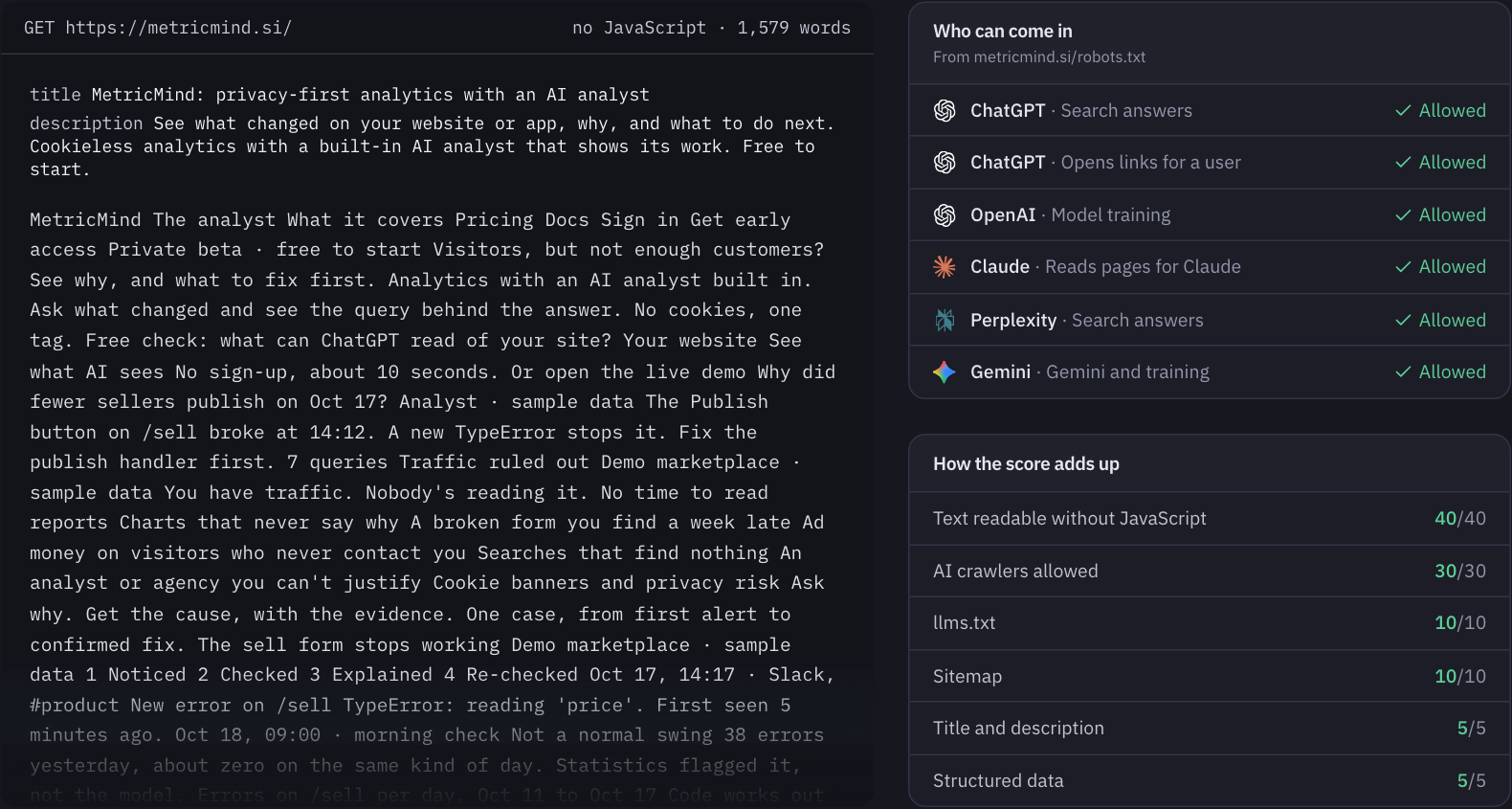
It has limits. It reads the home page only, and it only counts a crawler as blocked if robots.txt shuts it out of the whole site. It fetches under its own name too, so it can't tell you whether your CDN refuses GPTBot by name. For that, use the second curl above.
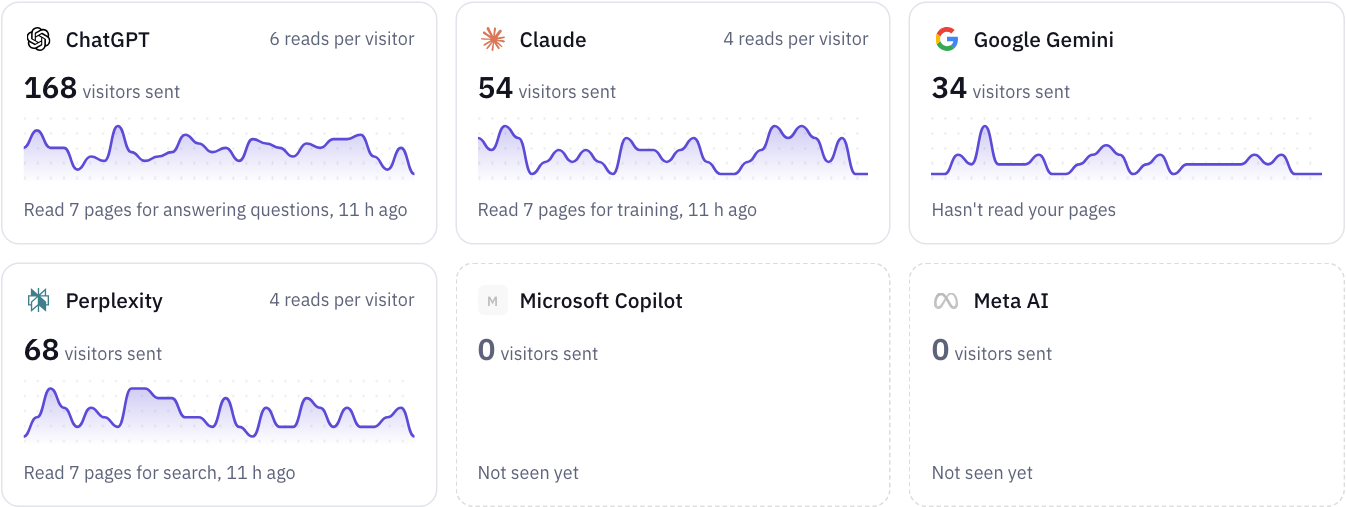
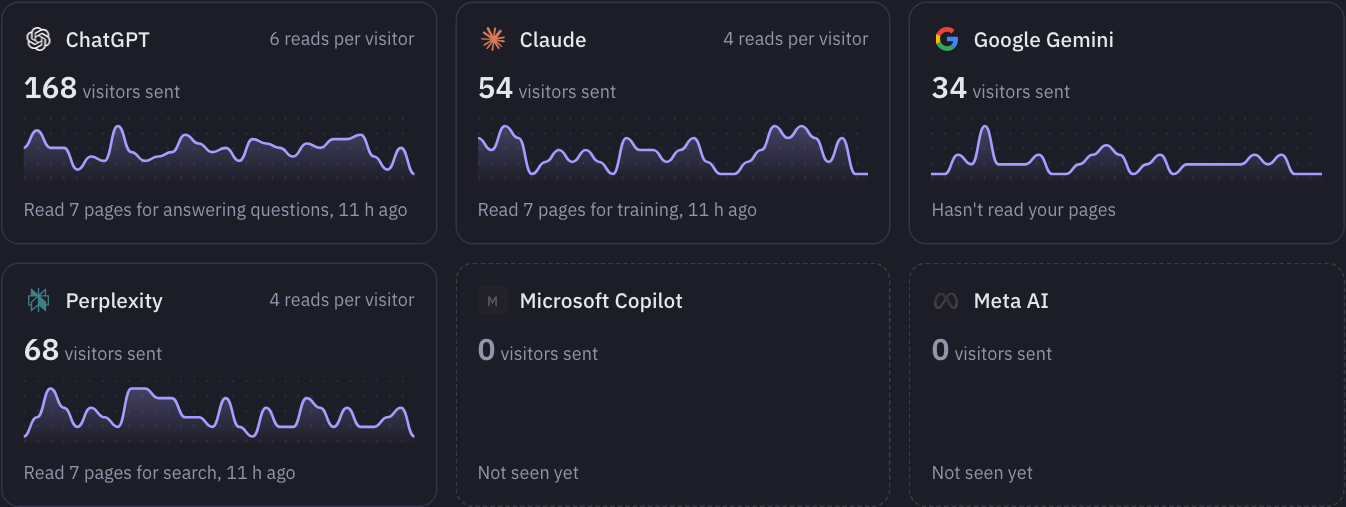
In the product, the AI agents page (in alpha) shows the visitors each assistant sends and what those visitors do. It can also show which crawlers read which pages, but since most of them don't run JavaScript, that part needs a small helper on your server.
Your next step
See what AI crawlers get from your site
Enter your domain. In about 10 seconds you see the text of your home page without JavaScript, which crawlers your robots.txt blocks, and what to fix. No sign-up.
Sources
- OpenAI: Overview of OpenAI crawlers
- Anthropic: Does Anthropic crawl data from the web?
- Perplexity: Perplexity crawlers
- Google: Google's common crawlers (Google-Extended)
- Google: AI features and your website
- Vercel: The rise of the AI crawler (December 2024)
- Cloudflare: Block AI bots
- llmstxt.org: the /llms.txt proposal