How to know your site is down before your customers do
By Moha Ousaid Saaid, founder · Updated · 6 min read
Set up an uptime monitor that checks your site from outside your own network every minute or few minutes, and sends the alert to a phone someone actually looks at. Then test it on purpose, because an alert nobody has seen fire can't be trusted. A monitor catches a dead server, an expired certificate and a broken domain. It won't catch a broken form on a page that loads fine, so add one alert on contacts or sales as well.
How quickly will a monitor tell you?
It depends on how often it checks and how many failures it wants before it speaks. Many monitors wait for more than one failure, since a single check can fail for reasons that have nothing to do with your site. Ours waits for two in a row.
So your worst case is about two intervals: the site fails just after a check, the next check fails, and so does the one after that. Here's the same sum for each interval we offer.
| Checks every | Fastest alert | Slowest alert | Good for |
|---|---|---|---|
| 1 minute | About 1 minute | About 2 minutes | Your main site, if it earns money daily |
| 5 minutes | About 5 minutes | About 10 minutes | Most small businesses |
| 15 minutes | About 15 minutes | About 30 minutes | Secondary pages |
| 1 hour | About 1 hour | About 2 hours | Something you check by hand anyway |
| 24 hours | About a day | About 2 days | Only watching a certificate, or an archive |
That table ignores the time a check takes to give up. A site that hangs can take as long as the timeout, which is 10 seconds by default on ours. It's small next to the interval, and it's why very short timeouts aren't always better: a slow moment shouldn't be reported as an outage.
What does an outage actually cost you?
Do this sum before you decide how much to care. Take a typical month, then:
visitors per hour = monthly visitors / 720
contacts per hour = monthly contacts / 720
lost contacts = contacts per hour × hours until someone notices
Our demo marketplace had 3,943 website visitors and 321 converted visits in 30 days. That's 5.5 visitors and about 0.45 converted visits per hour, averaged across day and night. Its Homepage monitor shows 99.96% uptime over 30 days, or about 17 minutes down. That cost under two visitors and about a tenth of a converted visit.
Now suppose the same site fails at 10 p.m. on Friday and nobody looks until Monday at 9 a.m., which is 59 hours. That's about 26 converted visits gone at the average rate, or 8% of the month. What separates those two outcomes is how soon you find out. That's why a monitor is worth having before you need one.
Long outages have a second cost. Google's documentation says 5xx server errors make its crawlers slow down, and that URLs persistently returning them are eventually dropped from the index. It gives no fixed timescale. A short outage isn't a crisis for search, but don't leave one running.
How do you set up a monitor properly?
- Monitor from outside. A check from your own server or office network can stay green while the world can't reach you.
- Watch what matters, not only the home page. Add one monitor for a page that depends on your database, such as a listing or a product page. A home page cached by a CDN can look fine while everything behind it is down.
- Skip the cache if you can. Some monitors can add a random parameter or a no-cache header, so the CDN has to ask your real server.
- Send the alert to a phone. Use something you'd notice on a Saturday night. Choose a shared place, not one person's inbox.
- Add a second person, so a holiday doesn't leave nobody watching.
How do you know the alert really works?
Run a fire drill. It takes about 15 minutes, and it's the only way to know that a tool built to fire once a year still works.
- Add a monitor at the shortest interval, pointing at a page on your site that doesn't exist, such as
/monitor-test-404. It should return a 404, which counts as a failed check. If the page answers 200 instead, your site serves "not found" pages as successes, which is worth knowing and needs its own fix. - Start a timer. Wait for the alert. Note where it arrives, and how long it takes against the table above.
- Check it reaches a person. Ask whether the second person saw it too.
- Delete the monitor. Confirm the alert for your real monitor is pointing at the same place.
Repeat it when someone joins or leaves, or when you change your alert channel.
What can't an uptime monitor see?
A typical check asks: did the page answer with a good status? It says nothing about what's on the page. A white screen, a broken checkout or a dead contact button can all answer 200.
| What fails | Uptime monitor | What catches it |
|---|---|---|
| Server or host down | Yes | The monitor |
| Domain or DNS mistake | Yes | The monitor |
| Certificate expired | Yes, once it has expired | A certificate check gives you notice before that |
| Page loads, but its script fails | No | Error tracking, and an alert on errors |
| Form or contact button broken | No | An alert on contacts or forms going below a usual level |
| Analytics tag removed | No | An alert on visitors, though it can't explain itself |
| Slow, but up | Only past the timeout | Response time on the monitor, and Web Vitals |
Certificates are about to matter more. Let's Encrypt says it will cut its maximum lifetime from 90 days to 45 by February 2028, and that industry rules limit certificates to 47 days from 15 March 2029. Renewal has to work automatically, and something should tell you when it doesn't.
How MetricMind shortens this
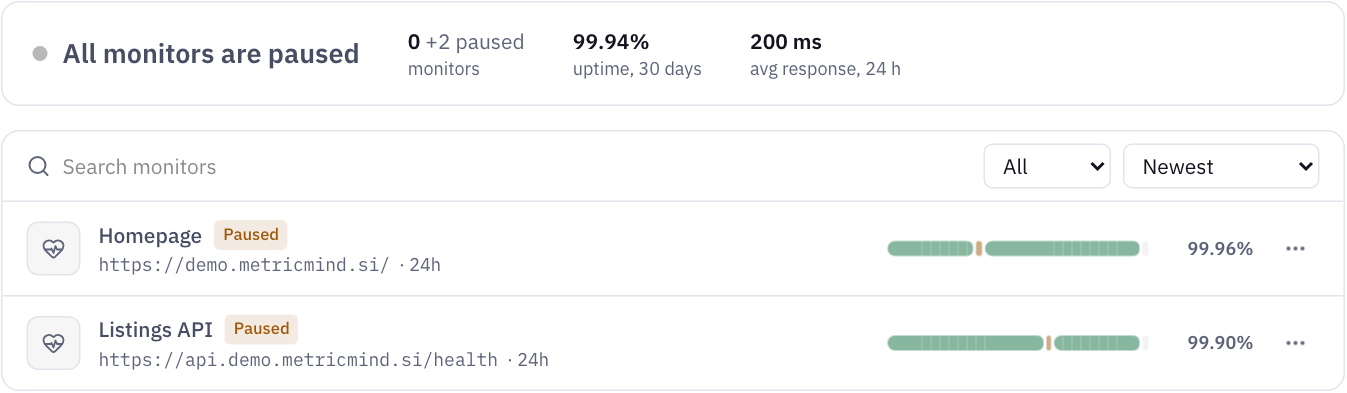
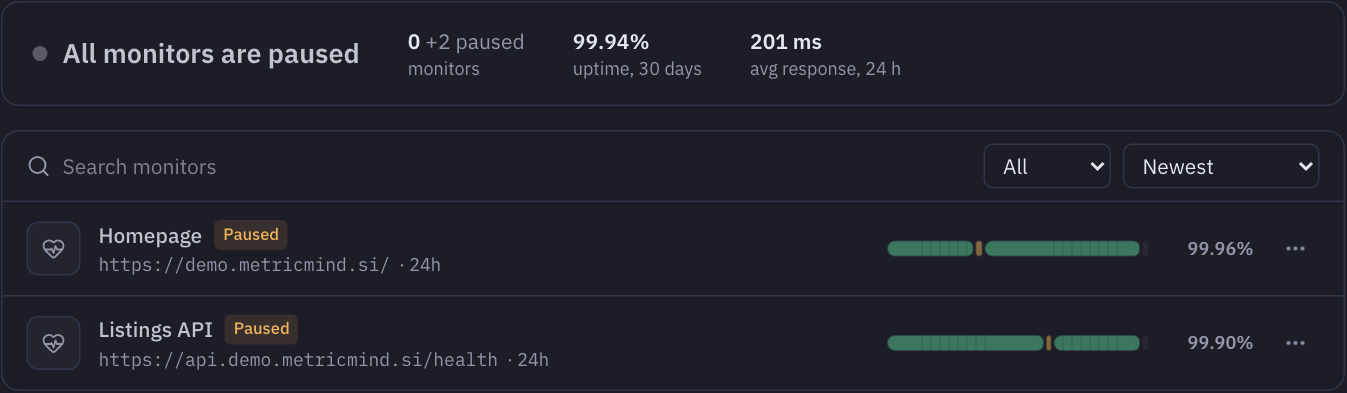
- Monitors check every 1, 5, 10, 15 or 30 minutes, or every 1, 6, 12 or 24 hours, on HTTPS pages on your own domain, with a timeout of 5 to 60 seconds. They go down after two failed checks in a row.
- Skip CDN caches with one setting, which adds a random parameter and no-cache headers.
- Alerts go to the site's Insights email and Slack on the way down and back up, and to signed webhooks if you add them.
- Certificates are checked twice a day, with alerts at 14, 7, 3 and 1 days before expiry, on the day itself, or as soon as one isn't trusted.
- A stale monitor never shows green. If a monitor hasn't checked in within three of its intervals, or five minutes at least, it shows "No recent check" and not up.
- Outages mark your traffic chart, so a dip explains itself, and a public status page can show incidents to customers.
- The other half comes from the same script: alerts on contacts, forms and errors, so a broken button is noticed too.
Three limits. Our checks ask for a status code and don't read the page. They come from one location, so a problem between that place and yours could look like an outage, and a regional outage elsewhere might not show. And we can't watch ourselves perfectly either: an outage of our own stops alerts, which is why a second monitor elsewhere is reasonable for a site you depend on.
If an outage has already hurt your numbers, go through why your traffic dropped. Add this check to your 10-minute weekly routine. If your errors are the worry, see rage clicks and dead clicks.
Your next step
Add a monitor to your own site
Uptime monitoring is part of every MetricMind plan. It's in private beta and free to start. Join the waitlist, then run the fire drill above.