How many calls and WhatsApp messages does my website bring?
By Moha Ousaid Saaid, founder · Updated · 5 min read
Count taps on your phone and WhatsApp links, split by page and traffic source, then spend two weeks comparing those taps with the calls and messages you actually receive. The taps tell you which pages and sources create contacts. The comparison gives you a ratio that turns taps into an estimate of real conversations. No analytics tool can see the call itself, so a tap is the closest honest number you can get.
Why doesn't my analytics show calls?
A call or a WhatsApp chat happens outside your website. Analytics sees a page view, then the person leaves your site and is gone. If your business runs on phone calls, your reports may show plenty of visits leading nowhere while your phone rings.
What analytics can see is the moment before: the tap on the link. That needs the number to be a real link. So check this first.
Is your phone number a link at all?
Open your contact page on a phone and try this. Tap the number. Does your phone offer to call? Then look at the page source, or ask your developer, for how it's written:
<a href="tel:+33123456789">01 23 45 67 89</a>
<a href="https://wa.me/33123456789">Message us on WhatsApp</a>
A phone number link follows the `tel:` format defined in RFC 3966: a plus sign, the country code and the number, with no spaces. Hyphens are allowed but ignored. A number shown as plain text or inside an image gives you nothing to count, and on a computer nobody can click it.
Check your header, footer, every product or listing page and any floating button. It's common for one of them to be a link while another is plain text.
How do you count taps with any analytics tool?
Your tool may have a built-in option, so look there first. If it doesn't, a developer can add a few lines that send one event per tap, using whatever your tool calls its event function:
document.addEventListener("click", (e) => {
  const link = e.target.closest?.('a[href^="tel:"], a[href*="wa.me/"]');
  if (!link) return;
  const channel = link.href.startsWith("tel:") ? "phone" : "whatsapp";
  analytics.track("contact", { channel }); // your tool's function here
});
Send the channel and nothing else. Never send the number, since that's a person's or a seller's data and you don't need it to learn anything.
Buttons that reveal a number or open a chat window have no link to read, so they need their own event.
How do you turn taps into real conversations?
A tap isn't a call. People tap, then change their minds. Some copy the number on a computer, or read it off the screen and dial, and you'll never see those. So find your own ratio:
- For two weeks, count phone and WhatsApp taps in analytics, per channel.
- For the same two weeks, count calls received and new WhatsApp conversations. Use your call log or a tally sheet by the phone. Leave out existing customers and suppliers.
- Ask each new caller how they found you, and tick the ones who say the website.
- Divide conversations from the website by taps. That's your ratio for that channel.
Say you count 40 WhatsApp taps and 22 new WhatsApp chats that came from the site. That's 0.55 per tap. Now, when taps double next month, you have a fair estimate of what it means in chats. Those are example numbers. Your ratio is the point of the exercise, and it can sit above 1 if many people dial without tapping. Check it again every few months.
| Method | What it counts | What it misses | Cost |
|---|---|---|---|
| Tap counting | Taps on phone and WhatsApp links, per page and source | Calls that were never made after a tap, numbers dialled by hand | Free or included in your analytics |
| Asking callers | What people say | Anyone who forgets, or whom nobody asks | Staff time |
| Call tracking numbers | Real calls and their length, per number | WhatsApp, and it needs a different number shown per source | A paid service |
| Your phone's call log | All calls | Where they came from | Free |
For most small businesses, the first two together are enough. Pay for call tracking if phone calls bring large orders and you spend real money on ads.
What should you do with these numbers?
Divide by visitors, so a busy month doesn't flatter you. Then split it in three ways.
- By page. Which pages make people reach out? A page with plenty of visitors and no taps may be hiding the number, or it may not answer what they need to know before calling.
- By source. Which channel brings people who contact you, not only people who read? That's the question behind which ads bring customers.
- By channel. If WhatsApp brings twice the taps of phone, put it first on the page, and staff it. Check how quickly you reply too, since slow answers lose the contact you just measured.
What do the numbers look like on a real dashboard?
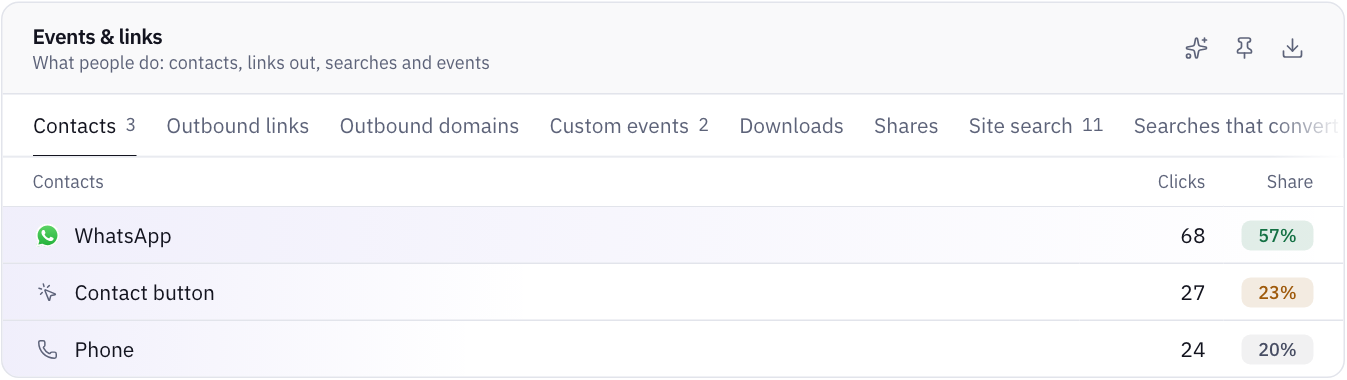
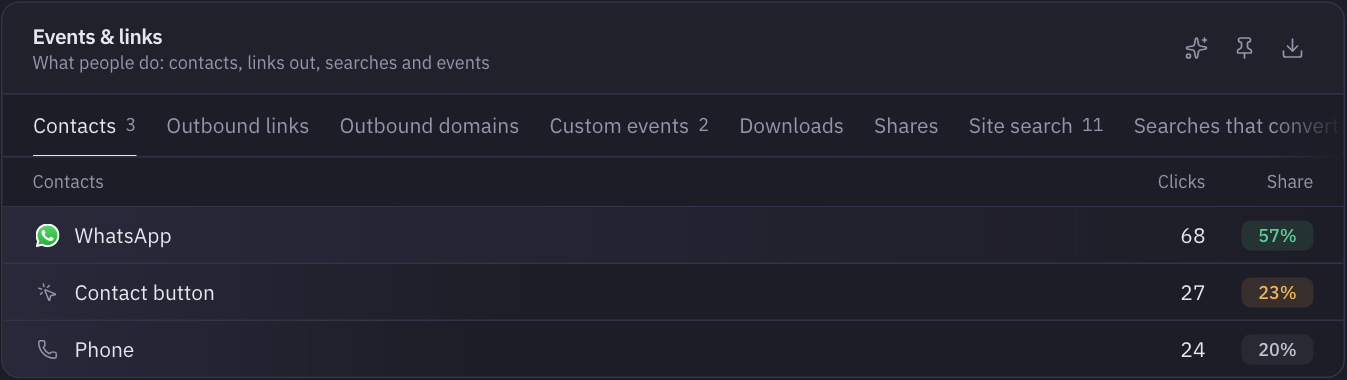
On the demo marketplace's website, WhatsApp brought 68 taps in 30 days, against 27 on the Contact button and 24 on phone links. So WhatsApp deserves the best spot on an item page.
The site's apps tell another story. Counting the website and both apps, the demo records 270 contact clicks, and 7.7% of Android app sessions end in a contact against 2.4% on the website. That's a sample site, so don't read it as a rule. It does show why contact counts belong per platform.
How MetricMind shortens this
The script counts contacts with no setup and no goal to define:
- Links:
tel:,sms:,mailto:,viber:, WhatsApp with a number (wa.me/<number>), Telegram and Messenger. A WhatsApp link with no number counts as a share, because that's what it usually is. - Buttons with no link, labelled like "Contact the seller", "Call" or "Contacter le vendeur", in English, French and Arabic. For other wording, add
data-track="contact"anddata-channel="phone"to the button. - The channel only. The number or address is never sent. See the contacts documentation.
Each traffic source then shows a contact rate, and every visit with a contact counts as converted. You can set an alert such as "tell me when contacts go below 2 a day", which is useful when a broken button would otherwise look like a quiet week. Alerts come with every plan.
It counts taps, the same as any other tool. It can't hear the call, so the two-week ratio above is still your job. And if a visitor's contact button is broken, you'll see that as a dead click instead of a contact, which is a good reason to read both. For enquiries that come through a form, read why people don't send your form.
Your next step
See contacts counted on a sample site
The live demo shows contacts by channel, page and source on a sample marketplace. No sign-up.